
Automated backtesting
The script executes the trade, so you review summary metrics rather than live decision-making. Automated runs assume instant execution, consistent sizing, and zero hesitation.
Rewind Scope is a standalone desktop tick-replay chart simulator. Replay historical bid/ask tick data on the built-in chart, manage each simulated trade yourself, and review the results against defined evaluation rules. An optional MetaTrader 5 plugin is available for MT5 traders and custom indicators.
Most traders do not have a strategy problem — they have a repetition problem: the same setup is taken a hundred times without ever being replayed under controlled conditions.
Why the usual approaches fall short
The script executes the trade, so you review summary metrics rather than live decision-making. Automated runs assume instant execution, consistent sizing, and zero hesitation.
Nothing is at stake, and price only moves at live wall-clock speed. Practicing drawdown discipline across dozens of setups takes months instead of sessions.
You can already see the right edge of the chart. Reviewing historical bars after they close reinforces hindsight rather than decision-making in real time.
What is actually missing?
Repeatable historical conditions, traded by hand on recorded tick data, with objective rule evaluation on every session. That is manual market replay, and it is what Rewind Scope is built for.
Tick-level execution, event context on the chart, and verified historical archives — built into one desktop workflow.
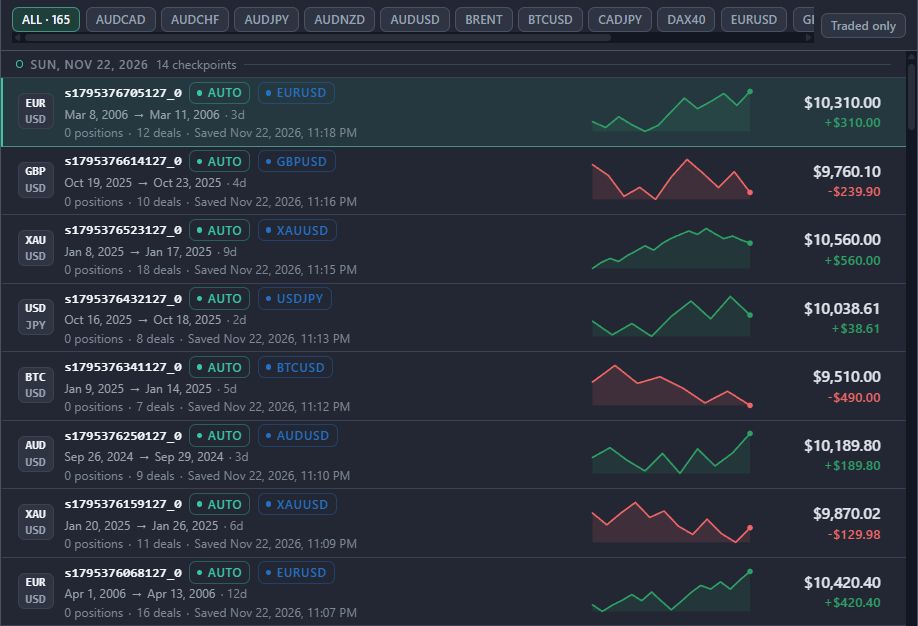
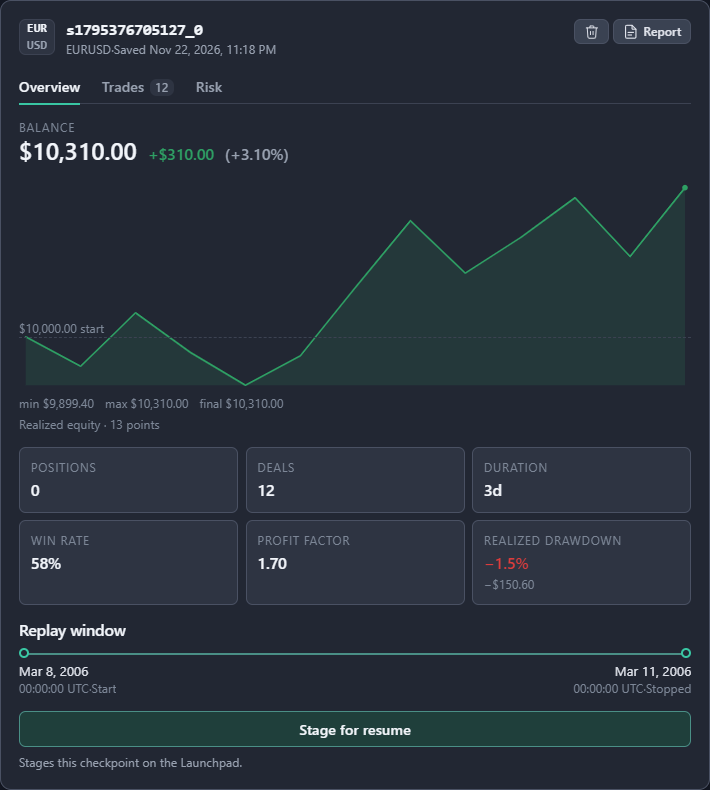
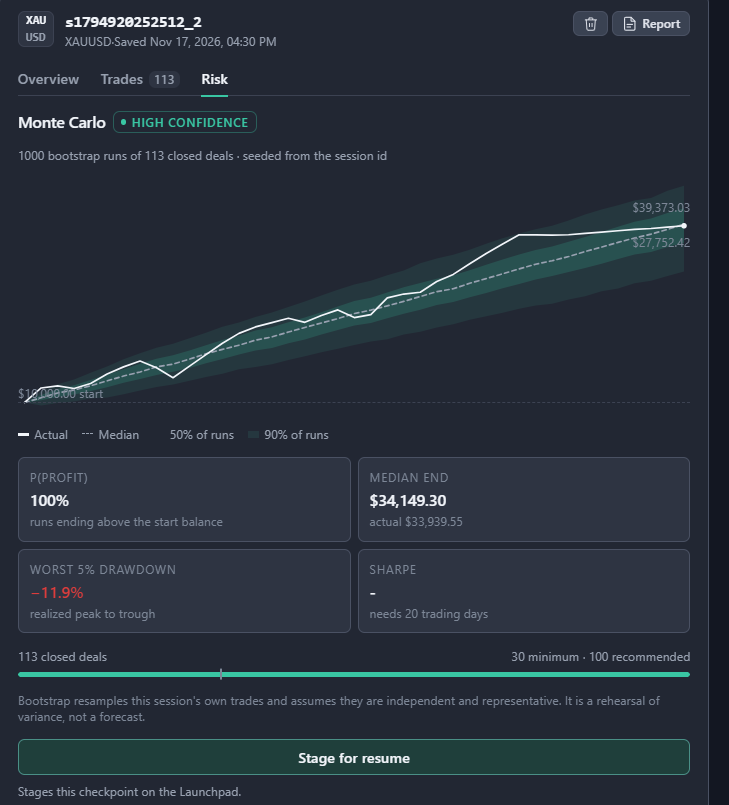
Select a challenge rule model before you launch. Rewind Scope tracks daily loss, total drawdown, profit target, and trading days tick by tick, closes with a pass or fail verdict when a limit is hit, and saves every session as a checkpoint you can inspect or resume.
Economic releases are flagged on the chart at the minute they came out. Hover a flag to see the forecast, the previous figure and the actual, then watch how price reacted.
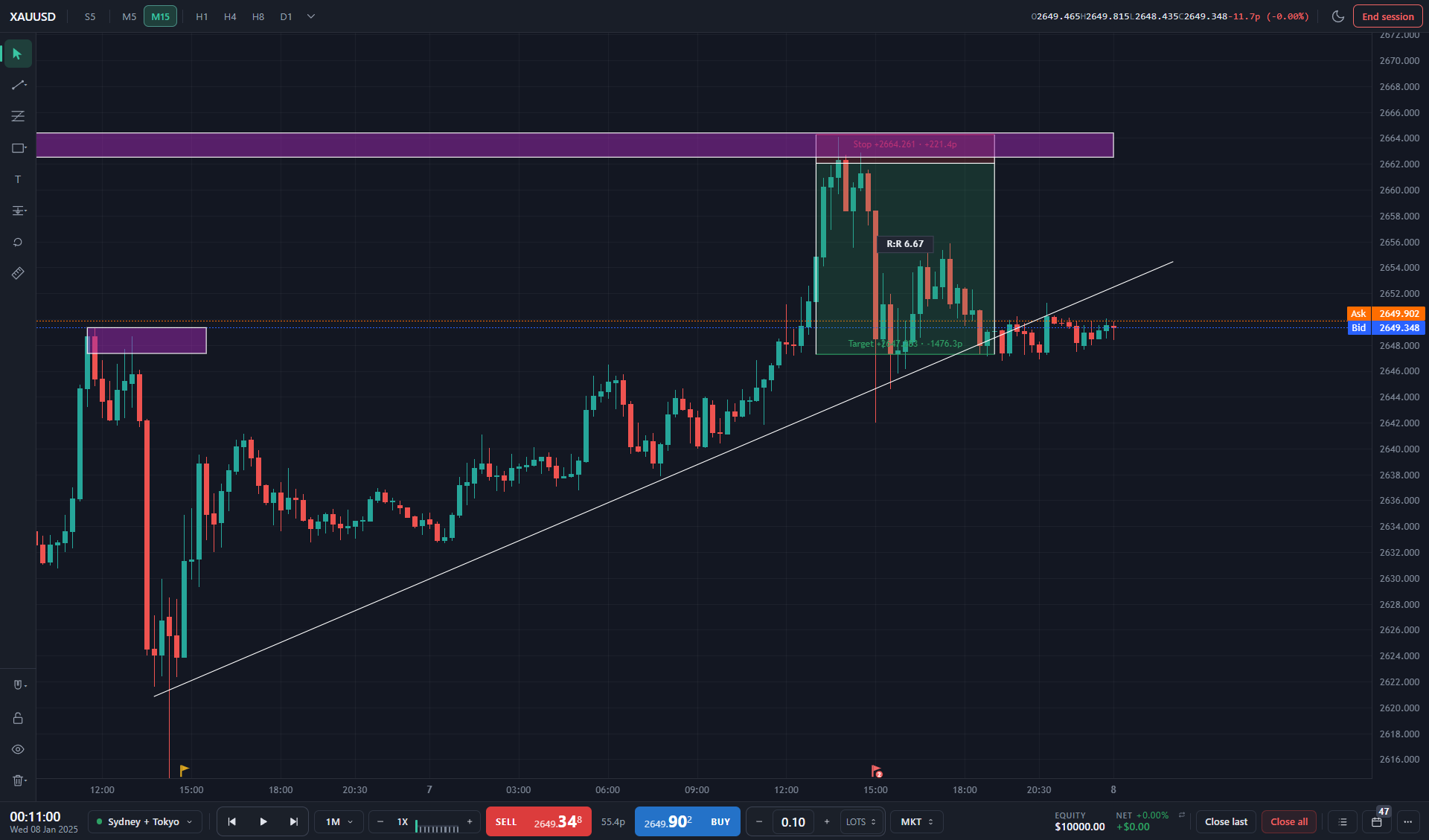
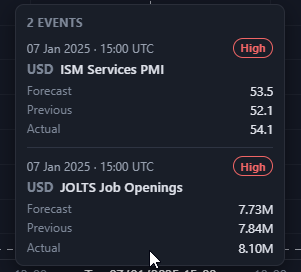
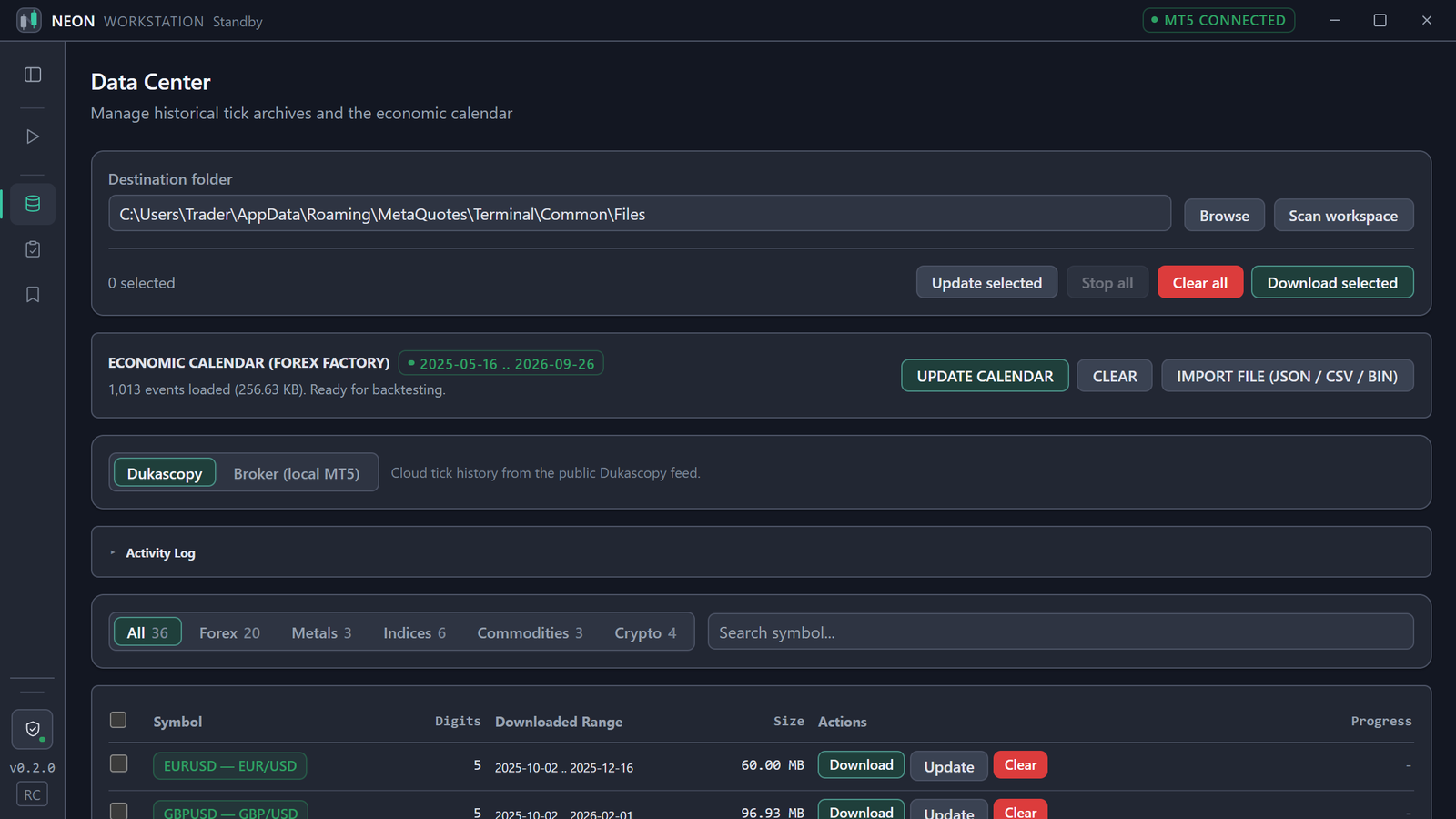
Archives are built from recorded Dukascopy bid/ask ticks, audited before publication, and integrity-checked before local installation. Rewind Scope replays the recorded quote sequence directly rather than assuming price movement inside a candle.
The built-in TradingView-style chart is the primary workspace — no MT5 required. An optional MetaTrader 5 plugin is available for traders who trade live on MT5 or want to test custom MQL5 indicators. Both run on the same engine and local archives.
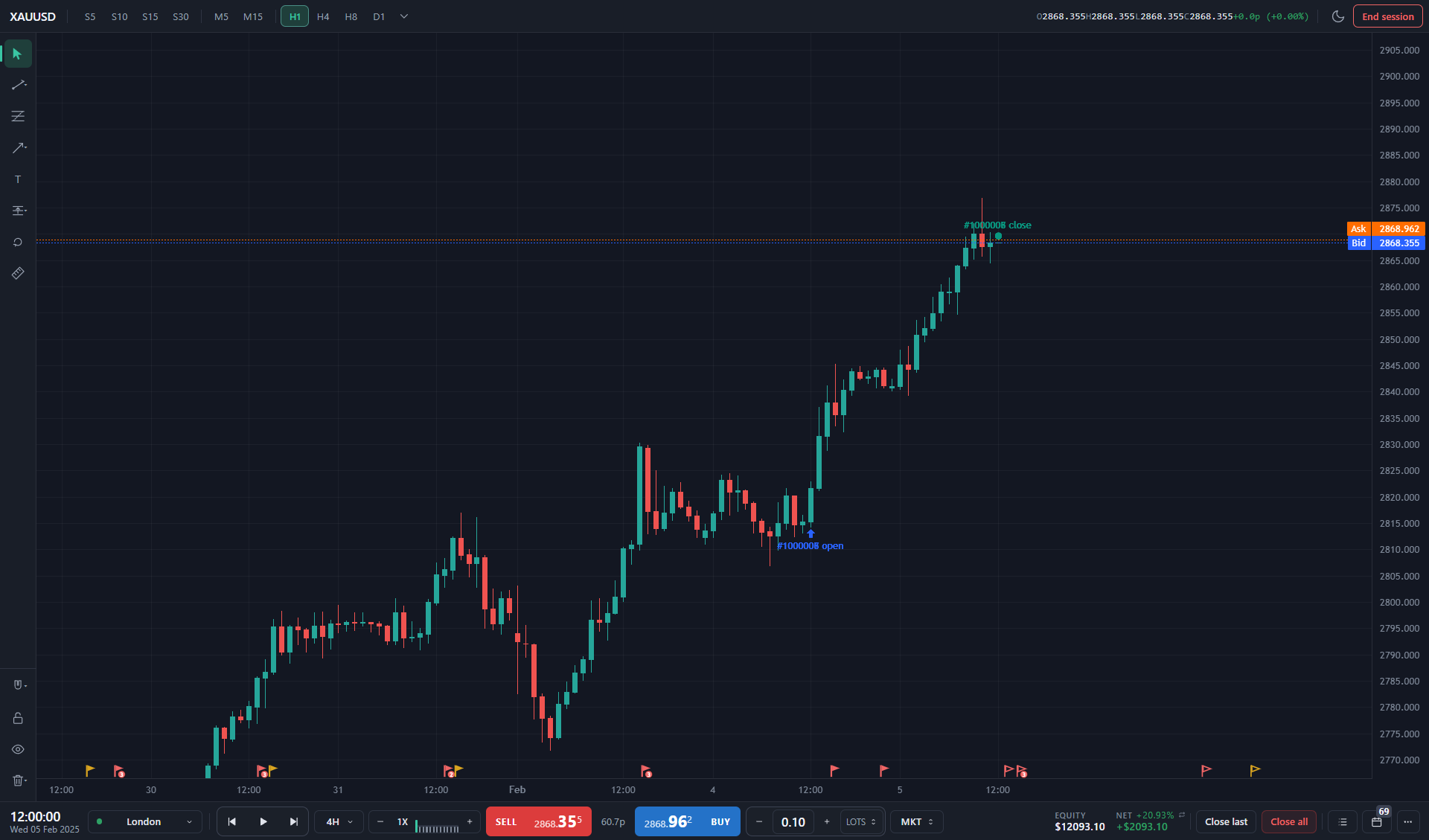
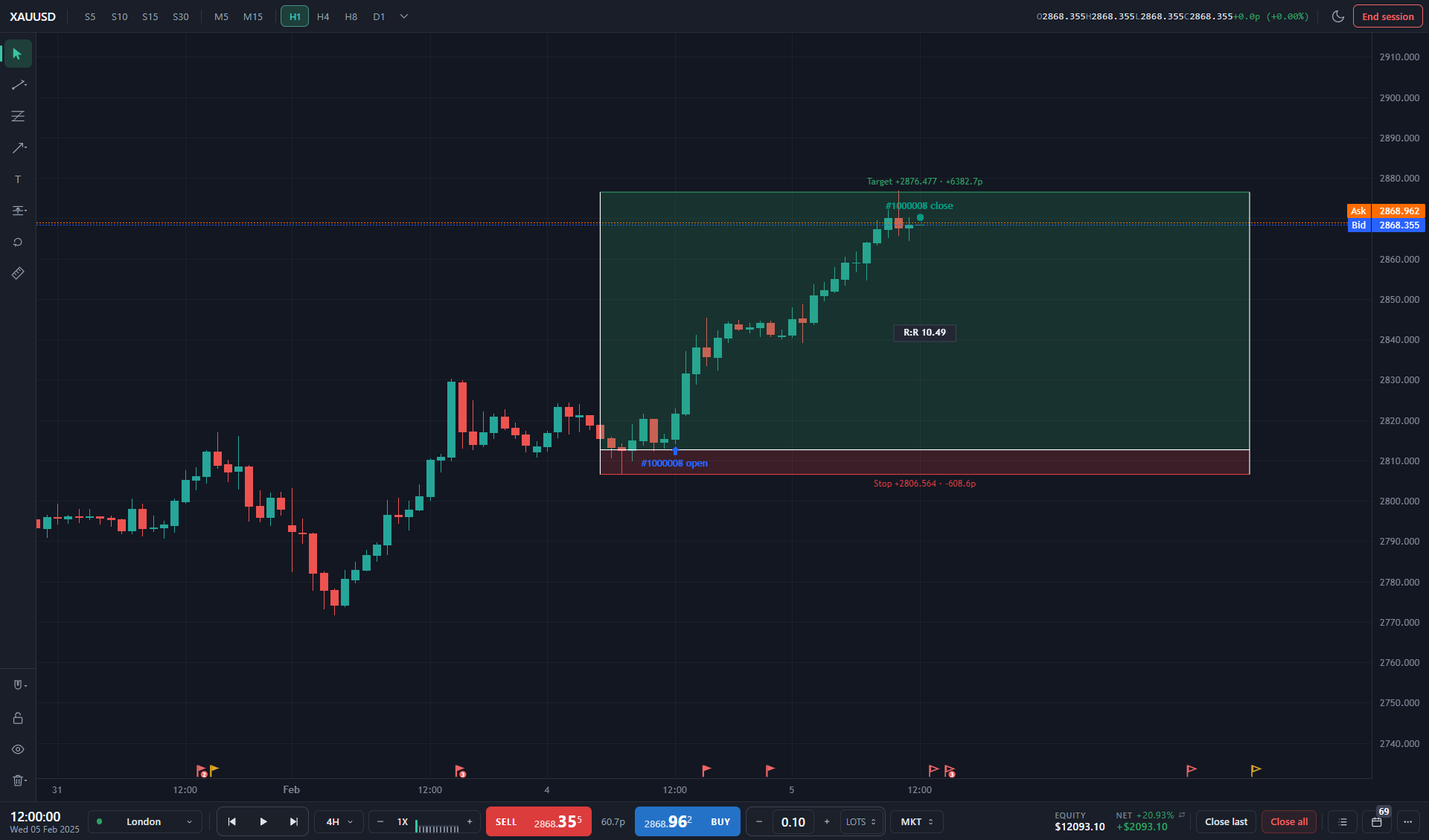
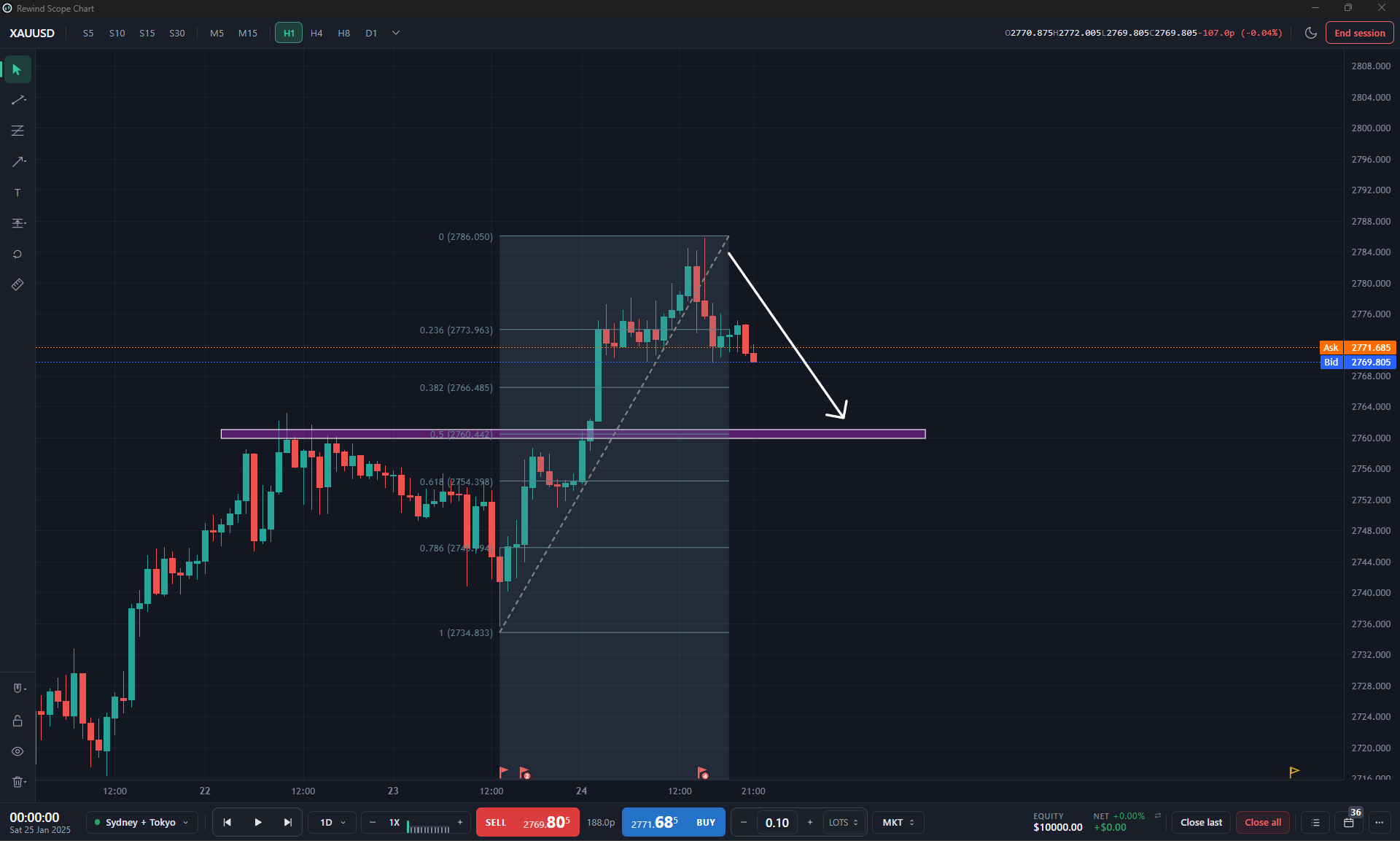
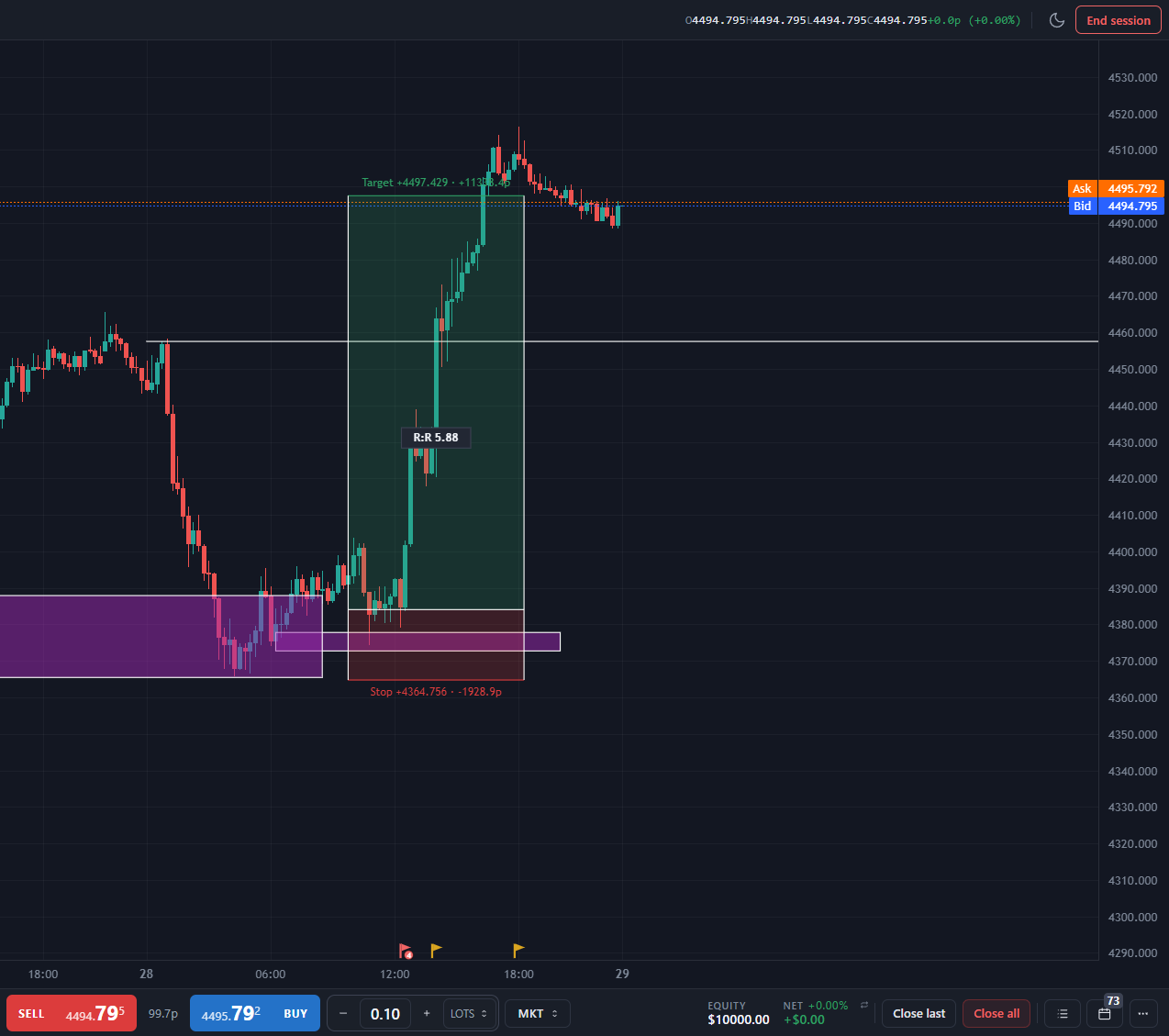
Dark Chart Replay a recorded XAUUSD session on the built-in chart in dark theme, with labelled open and close markers.
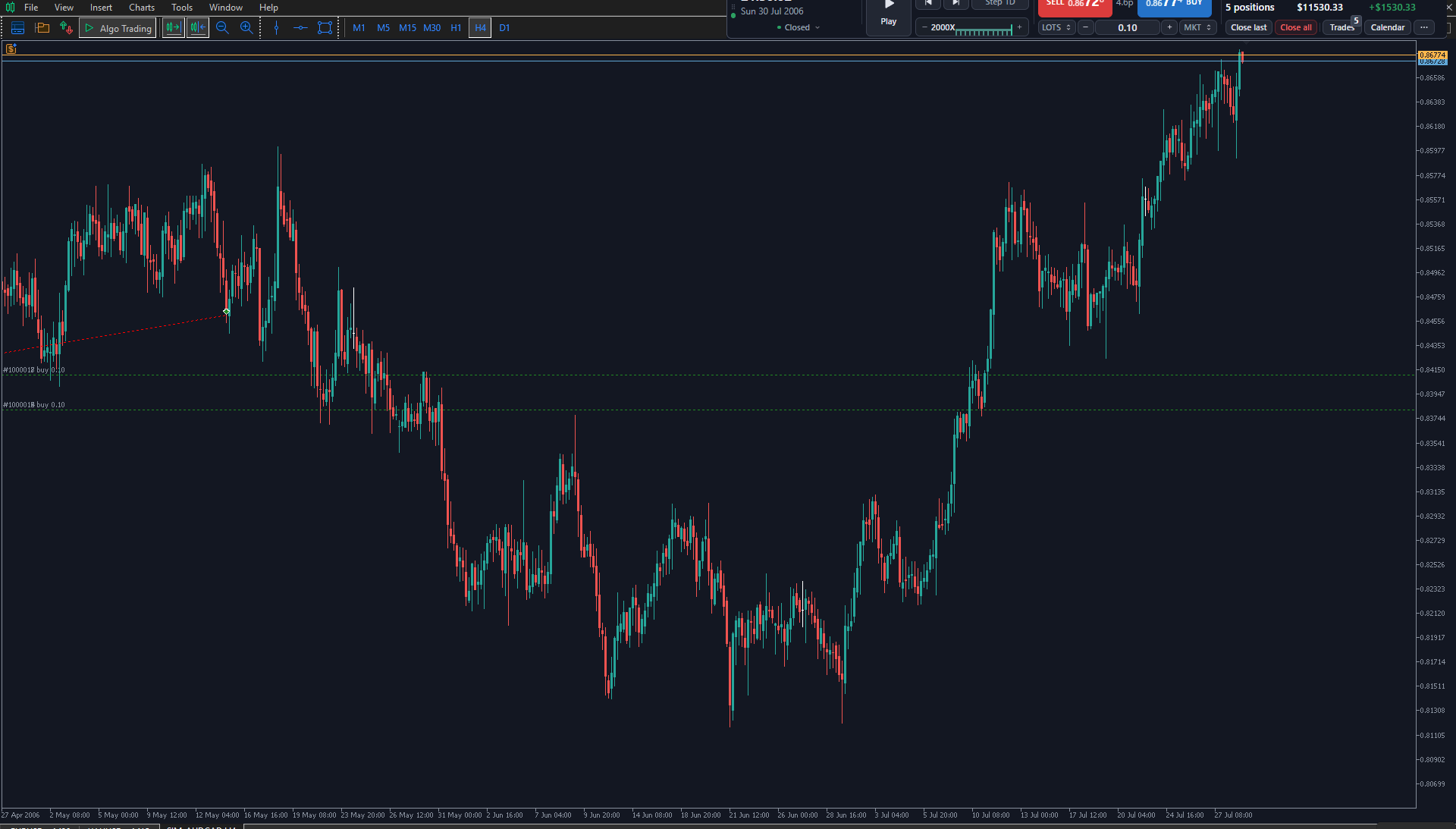
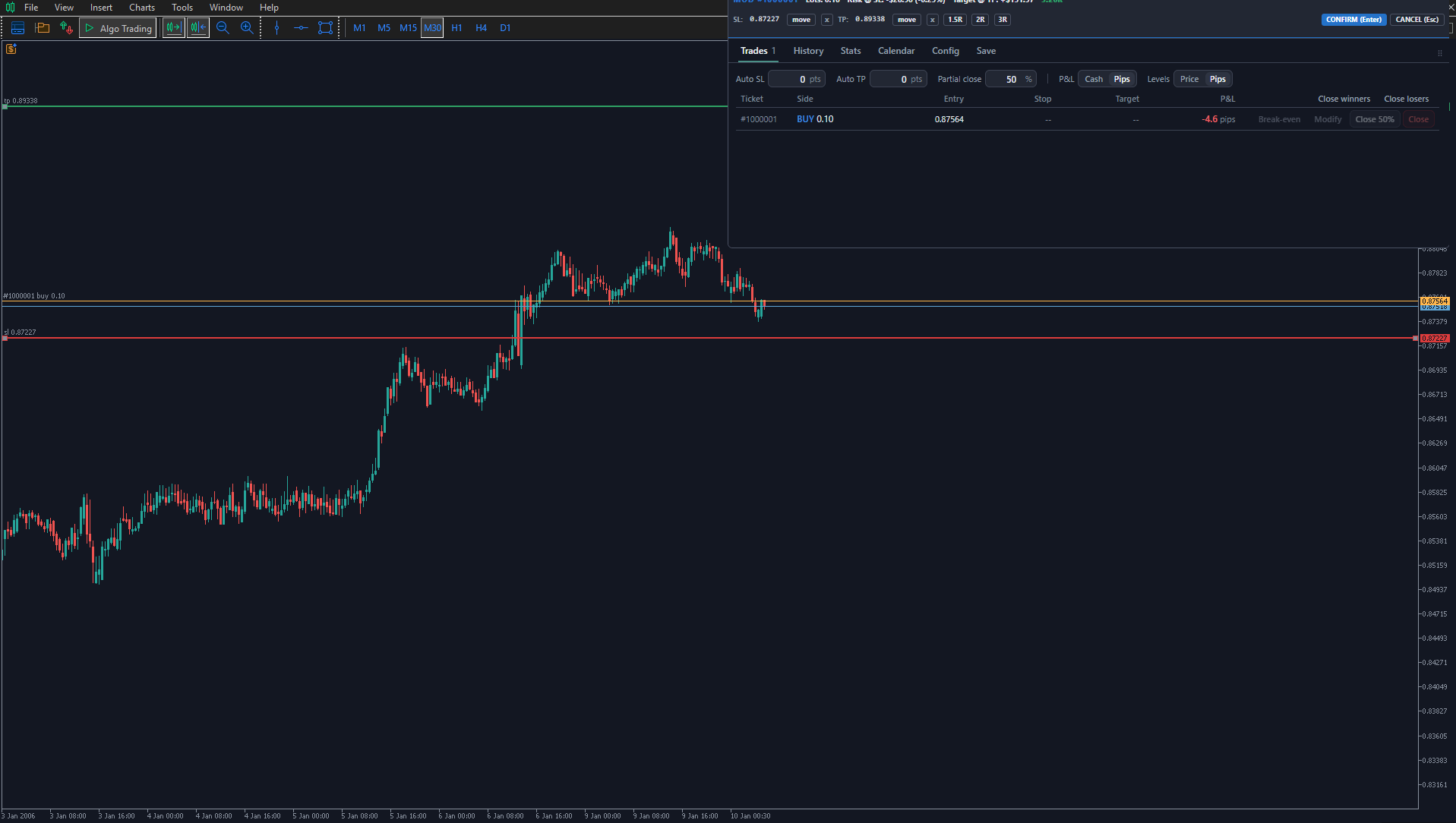
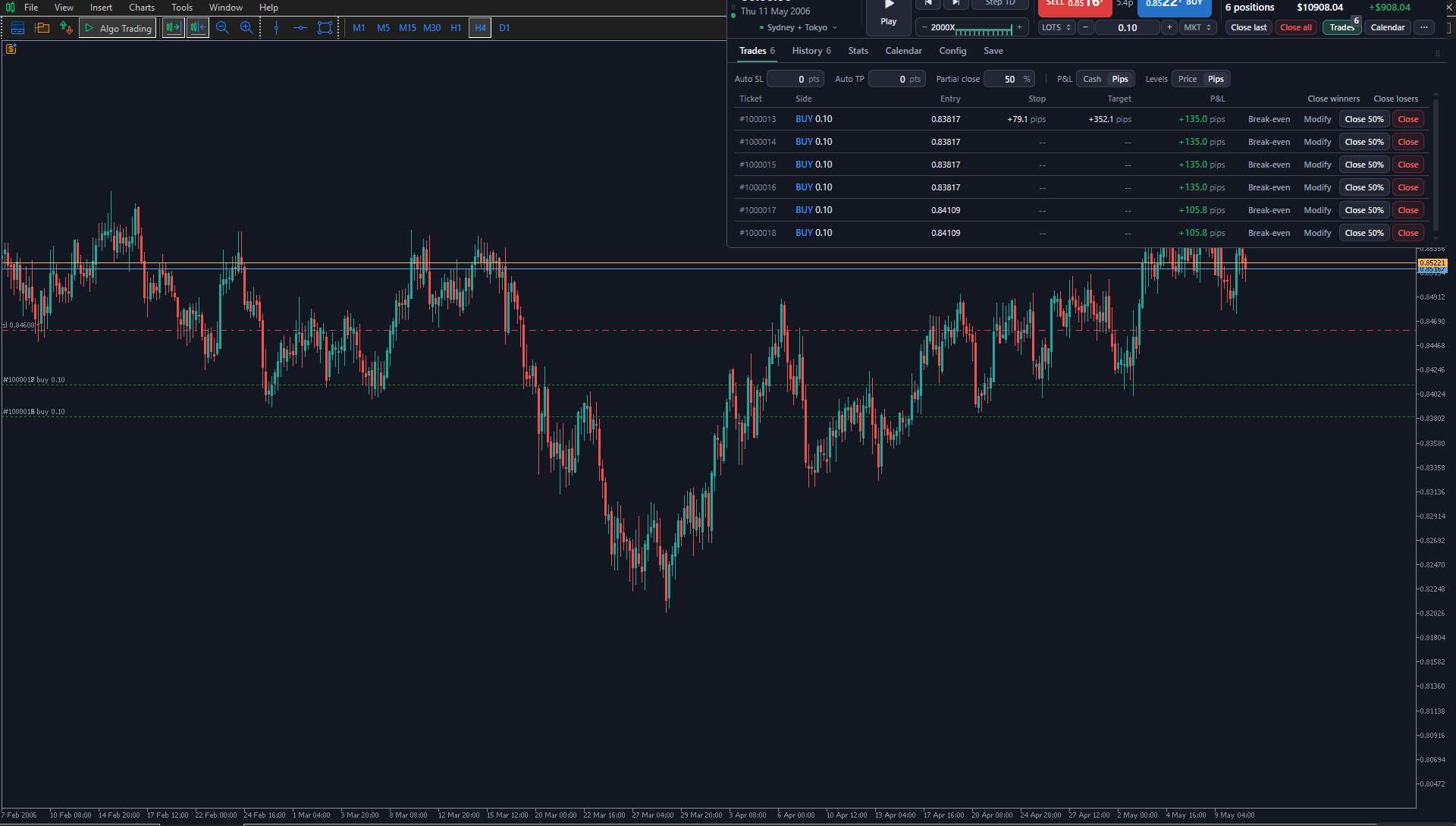
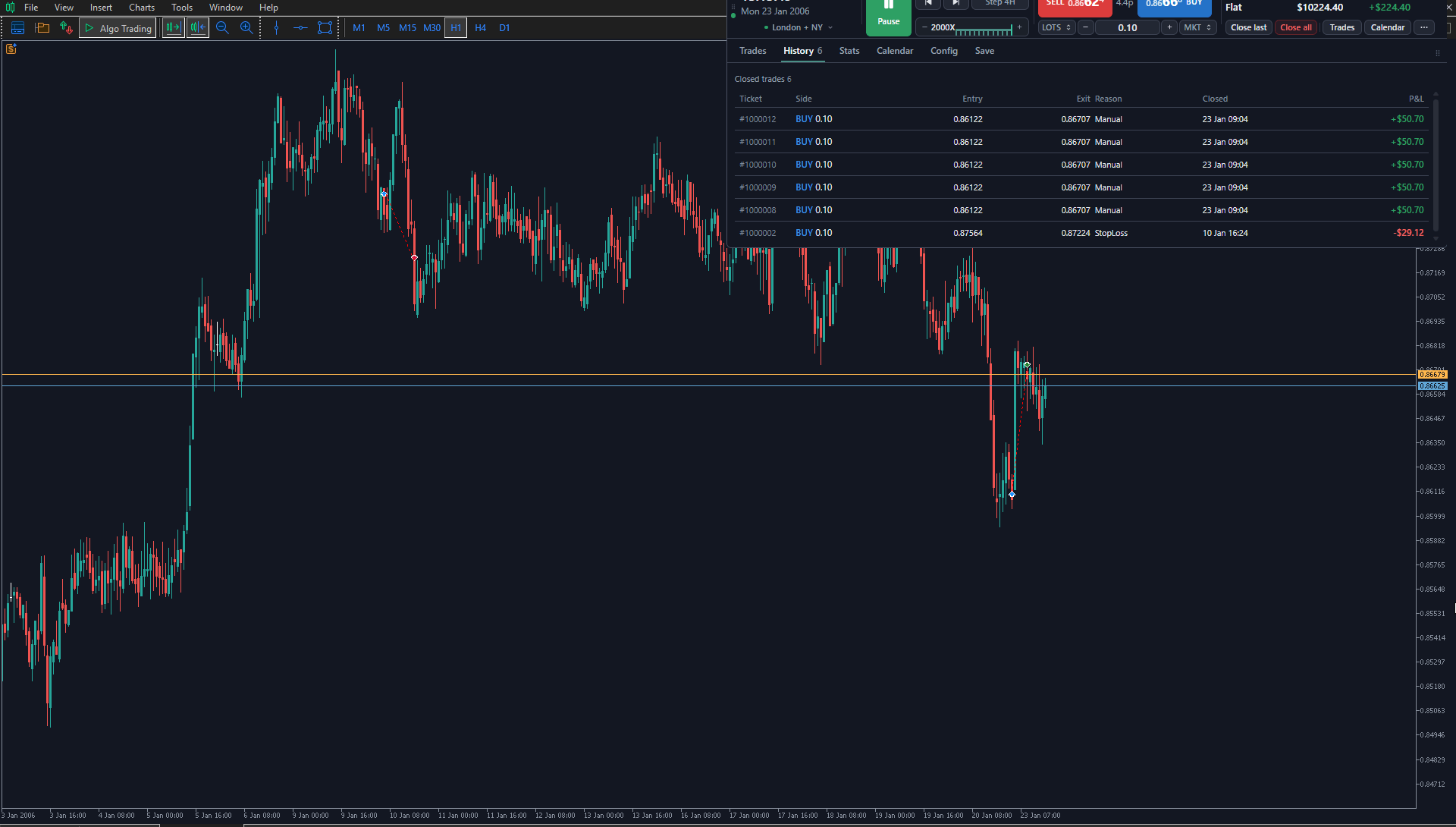
Transport Play, step and change speed on the MT5 replay deck, with the position count and equity alongside.
The same news minute, replayed as one candle and as ticks. You are long, with a stop and a target.
One bar: 4 numbers for the whole minute
When a stop and a target both land inside one bar, a bar-based replay has to assume the order. Ticks keep the order they arrived in, so the result is the one you would have lived.
Illustrative prices generated for this demo, not real market data. The tick view draws the bid; the faint line is the ask, which widens during the spike.
Rewind Scope prepares historical archives from Dukascopy tick data across 66+ instruments and distributes them through the in-app Data Center. Download an instrument archive once; it is verified and installed locally for replay across your selected dates.
Archive downloads are included with the software — no separate data subscription or per-symbol charge. The free Capped Demo covers a 2020–2021 archive window; paid passes unlock full available history.
Each downloaded archive undergoes container structure and block CRC32 checks (plus published SHA-256 verification on full downloads) before installation. At launch, Rewind Scope confirms the archive header, symbol, and declared date coverage.
Each tick carries its recorded bid and ask quotes. Rewind Scope replays their sequence in arrival order, allowing simulated orders, stops, and spreads to respond to actual price movements rather than an assumed path inside a candle.
Download forex, metals, indices, commodities, and crypto archives onto your machine — with new symbols added as coverage expands. Once installed, history replays directly from local storage and runs offline for up to 24 hours between online check-ins.
Included with every paid pass and expanding over time. The free Capped Demo covers a 2020–2021 archive window across supported symbols.
The free Capped Demo runs without a key and never expires — one year of tick history (2020-01-01 to 2021-01-01) on any supported symbol, up to 4 trades per session, with no save/resume and no prop challenges. If Rewind Scope is not right for you, you find out for free.
How buying works
No key and no expiry. The Demo limits are listed above.
Ask for a refund within 7 days of purchase, as long as the license has not been activated.
A duplicate charge for the same license is reversed.
We work with you to fix it, and extend your license term if the fix takes time.
Whether you trade your own capital or a prop account, live is the most expensive place to find out it does not work.
Every pass runs standalone in the built-in Rewind Scope chart out of the box, with 100% of Rewind Scope features and 2 active machine seats. The optional MetaTrader 5 plugin is included for MT5 traders and custom indicators. Pay once in crypto: USDT, BTC or ETH. Nothing renews automatically.
No license key and no time limit — launch Rewind Scope directly in Demo mode; one year of ticks (2020-01-01 → 2021-01-01), at most 4 trades per session, no save/resume or prop challenges.
One product, full capabilities, three ways to buy access: 90 days, one year or lifetime.
$10.75 / month
59% less per month than the Quarterly Pass
365 days of full access. The lowest per-day price of the timed passes, for dedicated discretionary traders and mentors.
Included with every pass
$26.33 / month
90 days of complete rehearsal access for active prop challenge preparation.
Get Quarterly PassLifetime access to Rewind Scope v1.x: every update and data refresh while v1.x is supported, with no recurring fees. Founding launch price; it rises later.
Get Lifetime LicenseAll paid passes include 2 concurrent machine activations (your desktop and your laptop) with self-service seat transfer. A seat can be moved again after a 24-hour cooldown.
Clear, factual answers regarding platform architecture, licensing rules, and both chart modes.
Rewind Scope is a standalone Windows desktop chart for manual market replay: you trade recorded historical bid/ask ticks by hand on the built-in chart, at your own pace. An optional MetaTrader 5 plugin extends the same engine to MT5 traders and custom indicators. Both are included in every license, with no broker account connection and no real orders.
Rewind Scope runs on Windows as a standalone desktop app — no browser and no MetaTrader 5 required. Every license includes the built-in Rewind Scope chart out of the box, plus an optional MetaTrader 5 plugin for MT5 traders and custom indicators. Nothing about your broker account changes.
No. Rewind Scope never connects to your broker account, and it does not read, store or transmit your positions or balance. Every session runs on a separate virtual account inside the simulator, and real order execution is not part of the product at all.
Copy RewindScope.ex5 to your MT5 Experts folder, enable Allow DLL imports in MT5 settings, and attach the EA to any standard broker chart. The EA blanks the host chart and opens a dedicated simulation chart controlled from the external Companion and Flight Desk windows. This is entirely optional — the built-in Rewind Scope chart needs none of it.
No. The built-in Rewind Scope chart is the default and needs no MetaTrader 5, no EA and no DLL: install Rewind Scope, download tick archives in the Data Center, and select Launch in Chart. The optional MetaTrader 5 plugin is there only if you trade live on MT5 or want to test custom MQL5 indicators. Same engine, same archives, same license either way.
Use the built-in chart by default — it is the integrated, standalone workspace with a docked replay bar, drawing tools and no MT5 setup. Choose the optional MT5 plugin when you want replay inside the MT5 terminal you already trade in, want your familiar MT5 chart workflow, or need to test custom MQL5 indicators during simulation. It requires Windows, MetaTrader 5, Allow DLL imports and RewindScope.ex5. Prop challenge evaluation works in both, and you can switch across sessions.